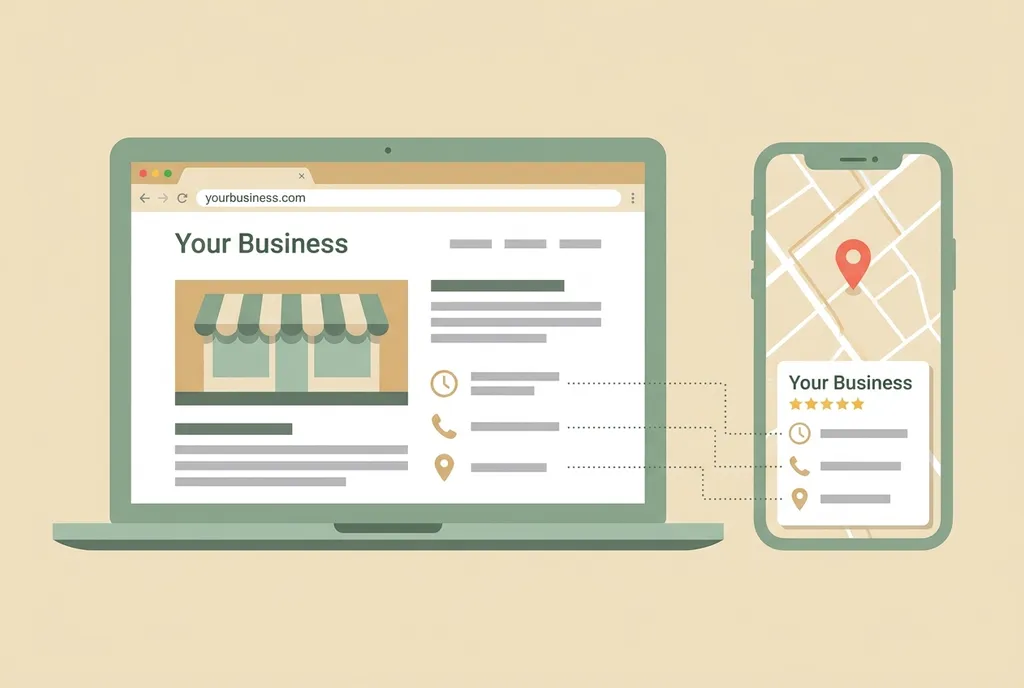
Your Google Business Profile is the panel with your hours, map pin and reviews that people see when they look you up on Google Search or Maps. Your website is where many of them go next, so the two should give the same details and point to each other.
Google says local results are mainly based on relevance, distance and prominence. You can’t change how far a customer is from you. The other two come down to the details you give Google and what the rest of the web says about you, and your website is part of that. If you haven’t set up a profile yet, our free lesson Get found on Google walks through it.
Matching your name, address, phone and hours
Google’s guidelines for representing your business ask for the name you use in the real world, on your sign, your website and your stationery. Say your sign reads “Maple Street Daycare”. Then that’s the name on the profile, with no towns or services tacked on the end.
Open your profile and your website side by side, and compare:
- The business name, spelled the same way
- The street address, including the unit or suite number
- The phone number
- Your opening hours
Google gathers business details from other sources, and customers can suggest edits to your profile. Google’s page on updates to your profile says that if you don’t respond to a suggested edit within 4 days, it may publish it when other public information, such as your business website, supports it. A website that still shows last year’s hours can end up backing the wrong version.
When you edit your profile, any details Google has changed show in blue text.
Holiday hours on both
Christmas and New Year’s are a few weeks away. Google lets you set special hours for holidays without touching your regular hours, and suggests confirming your hours for official holidays even when they don’t change.
Put the same holiday hours on your website, on the contact page or in a short note at the top of the homepage. If the two don’t agree, people can’t tell which one is right.
The website link on your Google Business Profile
Your profile has a field for your website. Use your own site’s full web address, starting with https://. Google’s guidelines ask for a website that represents your business location, and say not to use links that send people somewhere else, social media pages included.
A few things help here:
- If you have more than one location, link each profile to that location’s page on your site
- If you take bookings, some business types can add a separate booking link
- On your website, link to your Google reviews from the contact page, so people can read them in one tap
Your site can also carry structured data, labels in the code that state your name, address and hours. Google’s local business documentation explains how sites use it to describe hours and departments. Every site we build includes it. Our article on what an AI-ready website means explains how matching details help AI tools describe you correctly.
Categories, description and photos
For categories, Google asks for as few as it takes to describe your core business, and suggests choosing ones that finish the sentence “This business IS a”, rather than “This business HAS a”. A restaurant with a patio is a restaurant. The patio goes in the attributes, where Google lets you mark things like outdoor seating.
The business description can be up to 750 characters with no links, according to Google’s page on editing your profile. Describe your services in the same words your homepage uses, so both say the same thing about you.
For photos, Google asks for pictures that are in focus, well lit and show reality. A photo of the outside of your building helps people recognize it when they arrive. Use the same real photos on your website, so the place looks the same wherever someone sees it.
Posts that send people to your site
Business Profile posts let you share news, offers and events on Search and Maps. An update post can carry a button that links to your website. Google archives posts after 6 months unless they have a date range.
When you add something to your site, like a new service, an article or a summer camp, a short post with a link to that page puts it in front of people who find you on Google.
Reply to your reviews as well. Google says replies show customers that you value their feedback. If you run a clinic, check your college’s advertising rules before you do anything to bring in reviews.
Check both on your phone this week
Set aside 20 minutes. Search your business name on your phone, then open your website in another tab and go through these:
- Is the name the same on both?
- Does tapping the phone number on each call the right line?
- Do the hours match, including December 25 and January 1?
- Does the website button on your profile open the right page?
Fix whichever one is wrong, on the same day if you can. If keeping both up to date each month is more than you have time for, our Local SEO service looks after your Business Profile for you.